The feedback scavenger hunt ends here.
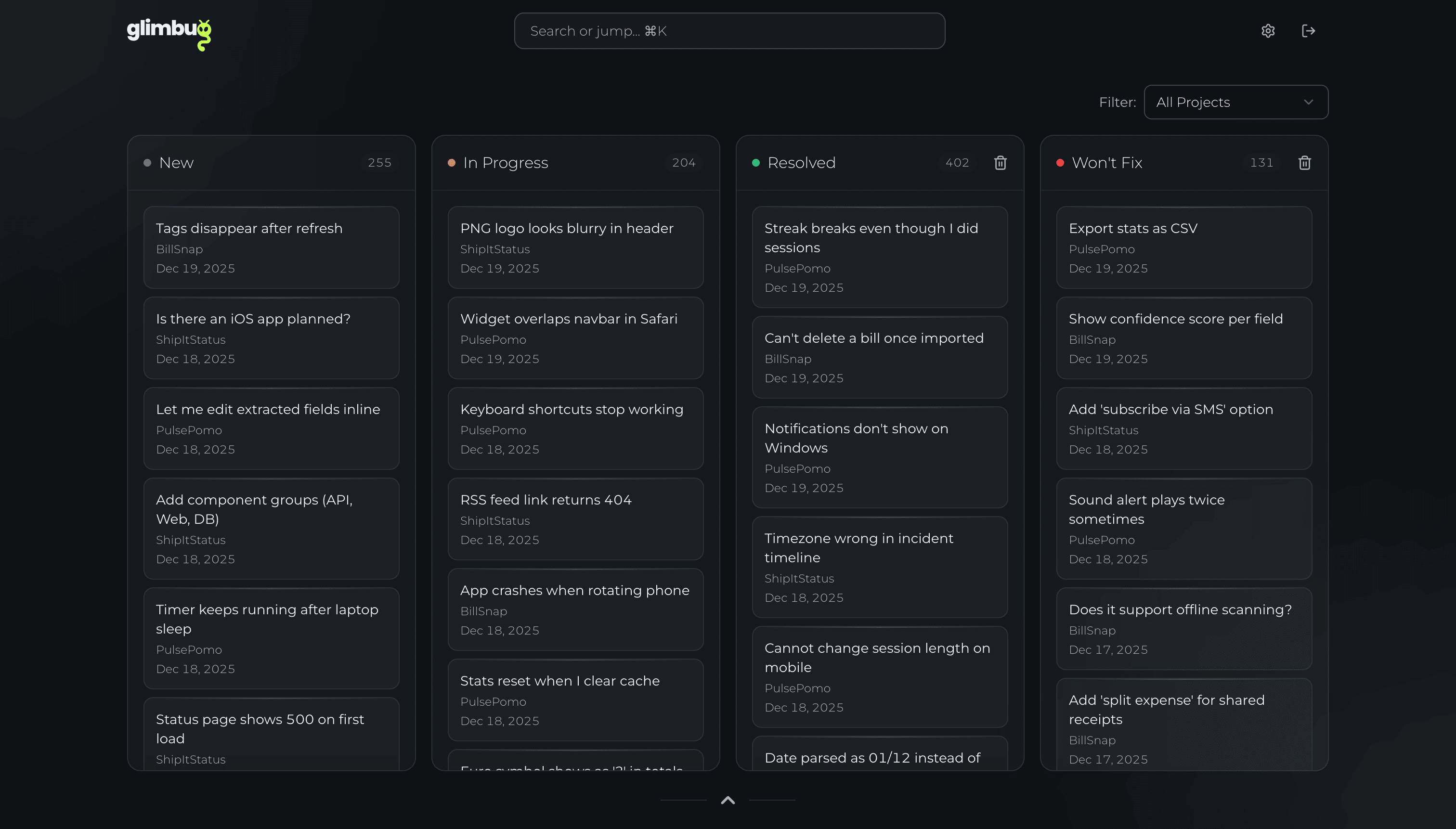
Skip the DM safari. Clean, contextual beta testing insights in one place. No logins. No friction.
Save 6 minutes a week and it's paid for.
Save 1 hour a week and get more than 900% ROI.
• How it works
Three steps to organized feedback.
Create a project & share your feedback link
Set up a project in Glimbug and generate a shareable feedback link. Drop it into release notes, or anywhere else. Testers can report issues without creating accounts.
Collect visual, structured feedback
Testers submit bug reports, feature requests, and questions with optional screenshots. You see exactly what they saw in your app when they hit the issue.
Triage and act on organized insights
Use Glimbug's dashboard to work through reports, spot trends, and prioritize what to fix next so beta feedback turns into concrete product improvements.
• Features
Designed for clarity,
built for faster fixes.
Screenshot-powered feedback
Testers attach screenshots to bug reports so you see exactly what they see inside your app or game.
Frictionless, no-login submissions
Share a simple Glimbug link. Testers submit feedback without creating accounts, which means more reports and better coverage.
Spot trends across reports
Identify recurring bugs and common requests instead of chasing one-off complaints. Prioritize what will help users most.
Friendly for beta testers
Give testers a single, easy place to send feedback throughout the beta so they keep coming back with fresh insights.
From feedback to action
Turn raw beta testing feedback into a clear list of issues and improvements your team can actually ship.
Privacy and data control
Your feedback data stays protected, and you decide what to keep or delete. Testers choose exactly what they share.
• Why Glimbug
Stop wasting developer time on feedback chaos.
Independent research shows a lot of developer time is spent on maintenance, debugging, and hunting for context/answers:
Stripe's Developer Coefficient found developers spend 17 hours/week on maintenance like debugging/refactoring, and 4 hours on "bad code" work.
ACM Queue repeatedly reports 35–50% of dev time goes to validation/debugging.
Stack Overflow's 2024 survey: 61% of devs spend 30+ minutes per day searching for answers/solutions. Cleaner, contextual reports reduce this back-and-forth.
Undo + Cambridge Judge estimate $61B/year lost to debugging failures — directional, but it underscores scale.
Other Tools
Screenshots lost in Discord threads
"The app is broken" with no context
Can't find testers for follow-ups
Good bug reports buried in noise
Hours spent organizing feedback
Glimbug
All screenshots organized
Clear context: what, where, when
Streamlined tester communication
Highlight what matters most to users
Feedback becomes insights
Who is Glimbug for?
Glimbug is built for teams who ship fast and care about their users: from beta testing to ongoing product feedback and sentiment checks, all in one place.
• Pricing
Simple pricing,
serious ROI.
• FAQ
Your questions,
answered.
Glimbug is a beta testing feedback platform that centralizes all your tester feedback in one place. You share a simple link with your testers and they submit bug reports and suggestions, with optional screenshots, without creating an account. This cuts the time you spend hunting through DMs, Discord channels, or email threads and lets you focus on shipping fixes.
No. One of Glimbug’s core advantages is frictionless feedback collection. You share a simple feedback link with your testers, and they can immediately report issues or ideas without any signup or login. Lower friction means more feedback and better coverage.
Testers can submit bug reports, feature requests, and general questions, all with optional screenshots for visual context. You can group and review submissions by project to quickly spot widespread issues versus edge cases and prioritize what to fix next.
Yes. You can change your plan at any time. Upgrades apply instantly with prorated charges, so you can unlock higher limits right away. Downgrades are scheduled to take effect at the start of your next billing cycle, so you never lose access unexpectedly.
Glimbug keeps you informed as you approach your plan limits. You’re free to upgrade at any time. If you hit the cap, new submissions are temporarily paused instead of silently failing, and existing feedback remains safe and accessible in your dashboard.
Yes. We never sell your data, and testers control exactly what they submit. Your workspace data is only visible to you. You can delete projects or individual submissions at any time in line with data retention policies.
• Contact
Got a brain-itch?
Let’s scratch it.
Questions, feedback, crazy improvement ideas - bring ’em on. Our workshop door is always open, and we love building with you.